Your commands, one keystroke away.
Summon any command, snippet, or workflow from a floating palette. Fuzzy search, fill in args, auto-paste — in under two seconds. And every snippet is available to your AI agents over MCP.
Free forever. macOS 15+ · Apple Silicon recommended
Works with Claude Code, Codex, Gemini CLI, Cursor, and Windsurf.
Everything you need, nothing you don't.
Built for developers who value speed, privacy, and keyboard control.
Fuzzy + FTS5 search
Fuzzy matching plus SQLite FTS5 full-text search rank by relevance, frequency, and recency. Find any command instantly — no exact spelling required.
Templates with arguments
Snippets with {placeholders} prompt you for values before pasting. Six argument types plus dynamic variables: date, clipboard, shell output.
Composition queue
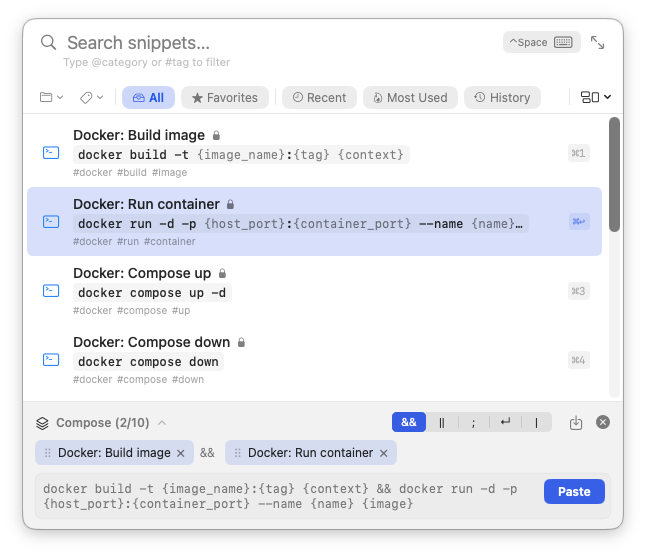
Stack multiple snippets together with join strategies (&&, ||, ;, |, ↵). Build a multi-step command, fill its args, paste once.
On-device AI
MLX models run locally on Apple Silicon for arg detection, descriptions, and semantic search. Free, private, no API key required.
Organization
Categories, tags, favorites, smart filters, and bulk operations in a three-column Library window. Built to manage thousands of snippets without slowing down.
Snippet Packs
Install curated community packs — Git, Docker, AWS, Kubernetes, API recipes — in one click. Start with a real library instead of an empty page.
iCloud sync
Optional CloudKit sync keeps your library identical across Macs, encrypted in transit and at rest by Apple. No account, no server, no login.
New Snippet from Selection
Highlight text anywhere, hit ⌃⇧Space, and CommandIt grabs it, opens the New Snippet form, and auto-detects the placeholders — free for everyone.
Auto-paste
Select a snippet, fill its args, press Enter. CommandIt pastes the rendered command directly into whichever app you were using — terminal, editor, browser, anywhere.
See it in action.
A keyboard-driven palette, a serious library, and AI that respects your data.
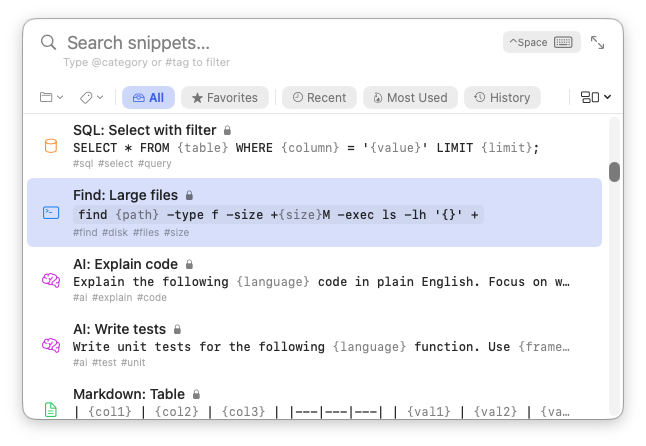
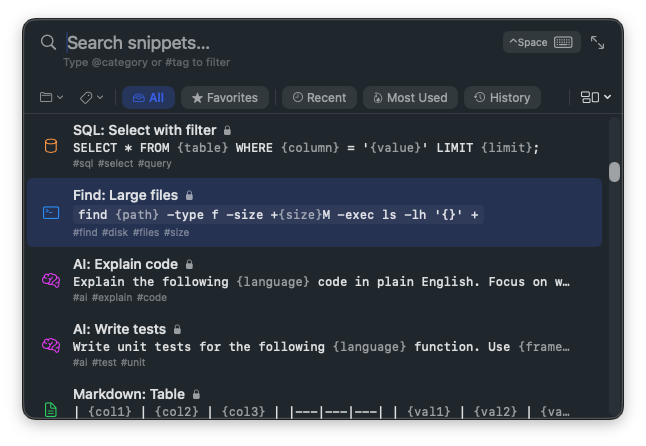
The palette
Summon, search, paste.
A floating panel above every window. Fuzzy + FTS5 search ranks by relevance, frequency, and recency. Type a few letters and your snippet is one Enter away.
The library
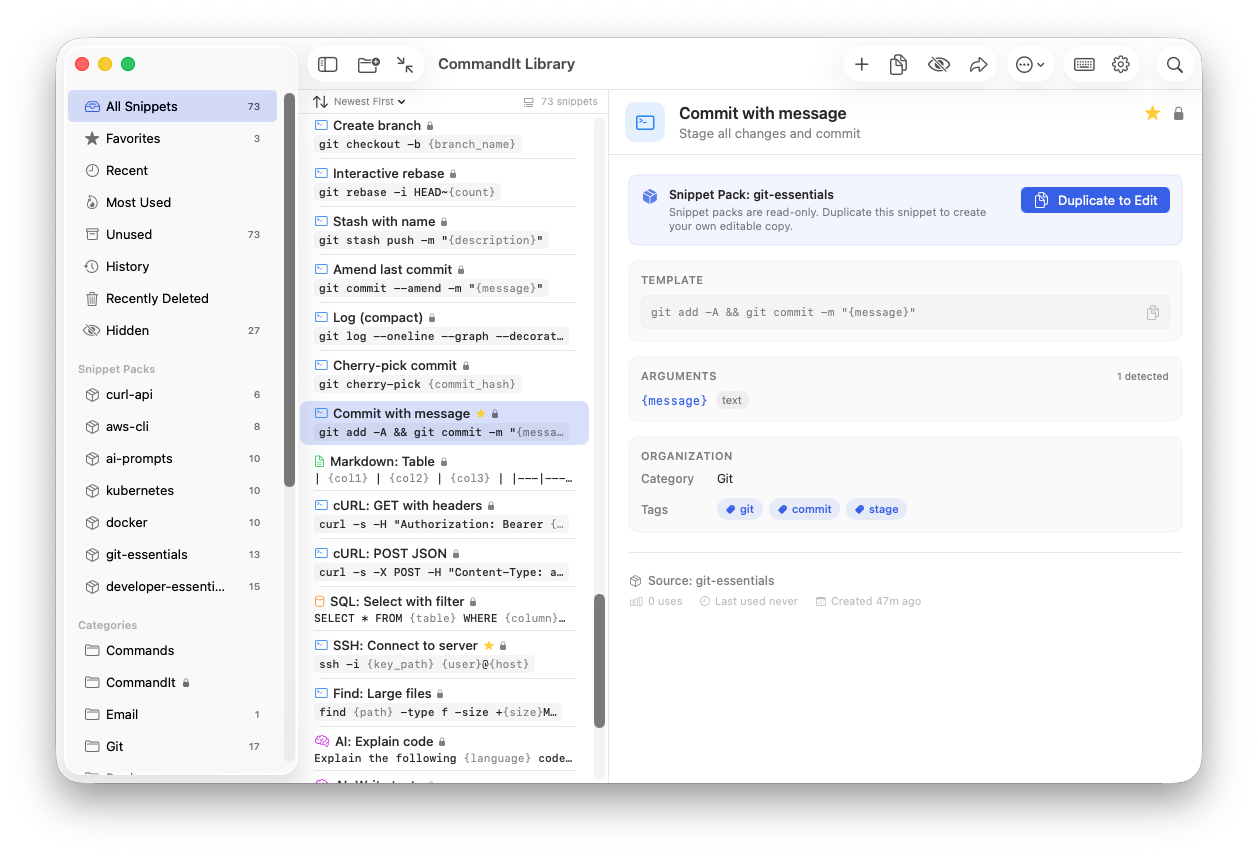
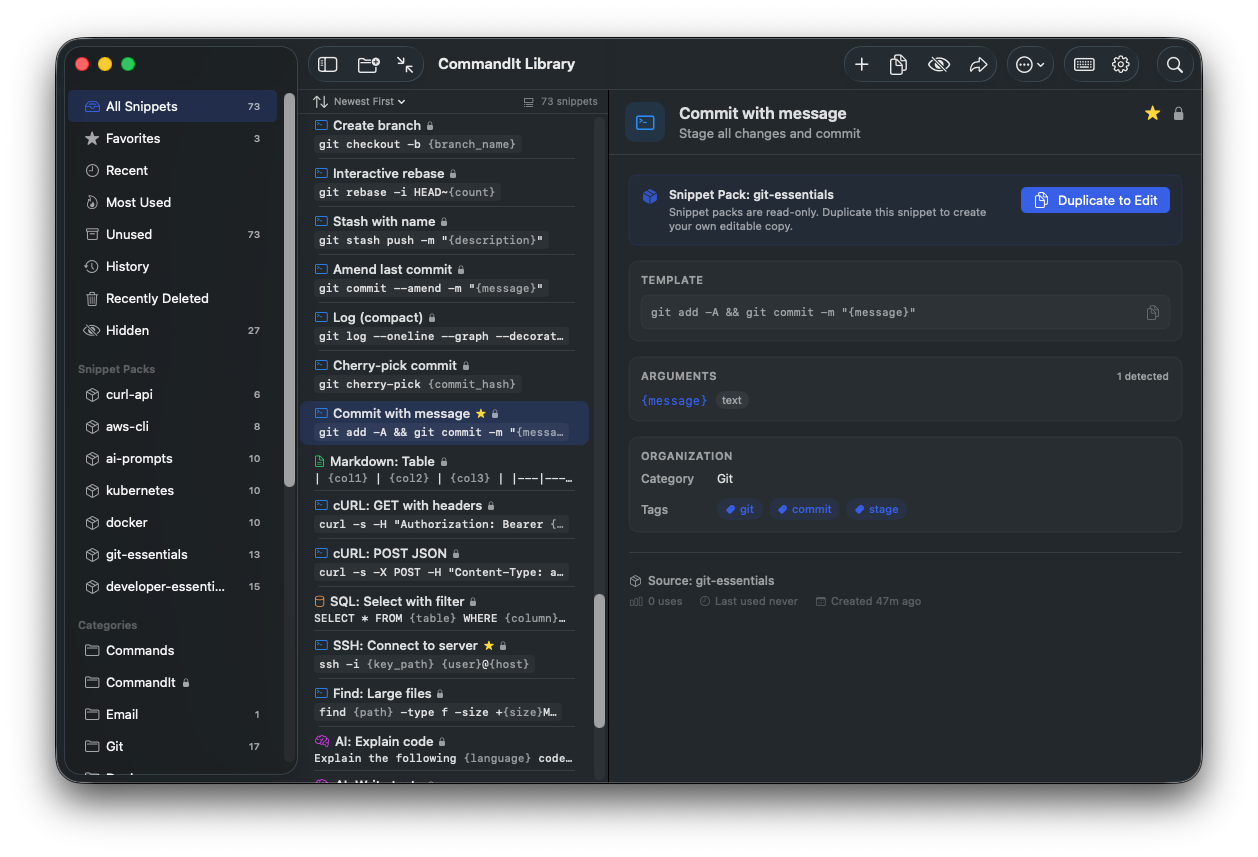
Three-column workbench.
Sidebar of categories and smart filters, list of snippets with sort + bulk actions, detail editor on the right. Built for managing thousands of commands without slowing down.
Composition
Stack snippets together.
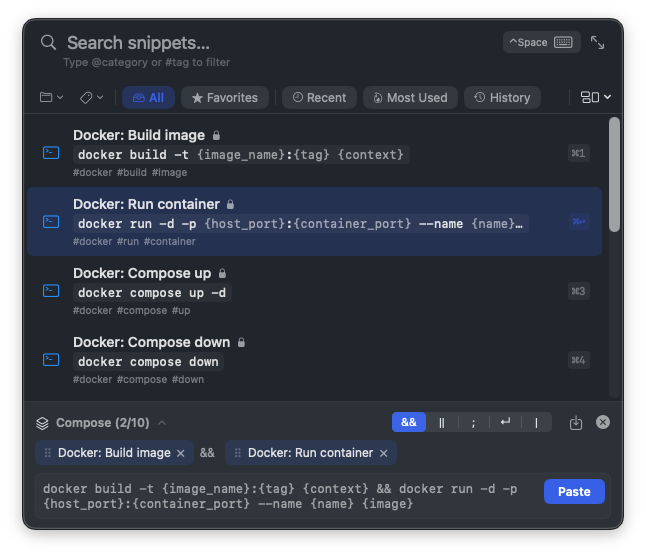
Queue multiple commands, choose a join strategy (&&, ||, ;, |, ↵), fill all the args at once, paste the whole pipeline. Saves you from rebuilding common multi-step flows.
Developer Tools
Your snippets, wired into your terminal and your AI agents. A terminal-friendly CLI and a built-in MCP server — both ship with the app, both install in one command.
commandit CLI
Search, render, and paste snippets directly from your terminal. Every snippet in your library becomes a one-liner.
$ commandit search docker
$ commandit render deploy-staging
$ commandit paste git-rebase-onto
Install from Settings → Developer Tools or run
commandit install-cli.
MCP Server (built in)
Every snippet becomes a tool your AI agent can call. Agents can search, render, create, and refine snippets — the full circle.
One-command install from Settings → Developer Tools for Claude Desktop, Cursor, and Windsurf. Terminal agents (Claude Code, Codex, Gemini CLI) use their own native MCP config — the integration guide has copy-paste snippets for each.
Read tools (search, describe) are free. Write tools (create, render, paste, generate, enhance) are Plus.
Works with Claude Code · Codex · Gemini CLI · Cursor · Windsurf · VS Code
Read the integration guideThree steps. Two seconds.
From hotkey to pasted result — faster than opening a terminal.
Summon
⌃SpacePress the global hotkey from anywhere on your Mac. A floating palette appears above your current window — no context switching, no focus loss.
Search
Type anythingFuzzy + FTS5 search ranks by relevance, frequency, and recency. Fill in template arguments with auto-detected types. Stack multiple snippets in the composition queue.
Paste
↩ EnterCommandIt pastes the result directly into whichever app you were using — terminal, editor, browser, anywhere. Whole flow takes under two seconds.
Simple Pricing.
A generous free tier with on-device AI for everyone. Plus for power users who want sync, cloud AI, and the full agent toolset.
Free
Everything you need to get started.
- Unlimited snippets, categories, tags, and favorites
- Encrypted at rest (AES-256 via SQLCipher)
- Fuzzy + FTS5 full-text search
- Auto-paste into any app
- Template arguments (6 types)
- Dynamic variables (date, clipboard, shell)
- + 9 more on the pricing page
Plus
For developers who want sync, cloud AI, and full MCP.
- Everything in Free
- iCloud CloudKit sync (encrypted in transit & at rest)
- Multi-snippet composition queue
- Cloud AI — NL→command (⌘G)
- Cloud AI — command explanation
- Cloud AI — BYOK (Claude, OpenAI, custom)
- + 2 more on the pricing page
7-day free trial. 14-day money-back guarantee. Cancel anytime.
Privacy is the product.
Your snippets live on your Mac. Period. Local-first by default, optional iCloud sync, BYOK for cloud AI — and only cookie-free, aggregate website analytics.
Encrypted at rest
AES-256 via SQLCipher — your local database is unreadable without the key.
Encrypted sync
Optional iCloud CloudKit sync, encrypted in transit and at rest by Apple.
On-device AI
MLX models run locally on Apple Silicon. No prompts sent anywhere.
BYOK cloud AI
Plus features call your own Claude / OpenAI key directly. CommandIt never proxies.
Ready to try CommandIt?
Download for free. No account, no signup.
macOS 15+ · Apple Silicon recommended